
Step 1: Go to the Login Page
- Open the Adesco login page.
- Click Forgot your password? in the login form.
.png?width=296&height=343&name=image%20(19).png)
Step 2: Enter Your Email
- On the Reset Your Password screen, type the email address linked to your Adesco account.
- Make sure you enter the correct email to receive the reset link.
.png?width=305&height=292&name=image%20(20).png)
Step 3: Send Reset Link
- Click Send reset link.
- Check your email inbox for a message from Adesco.
- If you don’t see it within a few minutes:
- Check your Spam/Junk folder.
- Make sure you entered the correct email.
- If needed, return to the screen and click Send reset link again.
- If you don’t see it within a few minutes:
Step 4: Reset Your Password
- Open the email and click the Reset Password button.
- Enter your new password and confirm it.
- Choose a strong password you haven’t used before.
- Click Save to complete the process.
Step 5: Log Back In
- Return to the Adesco login page.
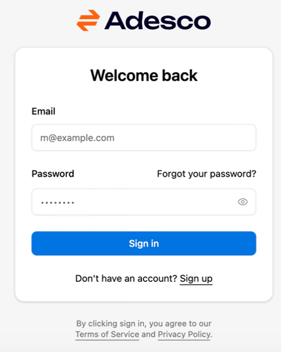
- Enter your email and new password.
- Click Sign In.