Step 1: Open Convert & Send
-
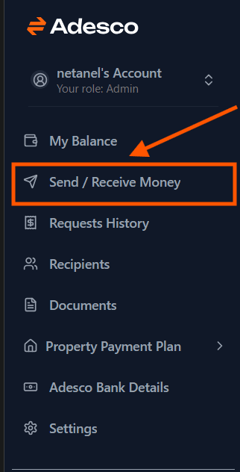
From the main menu, click Send / Receive Money.
-
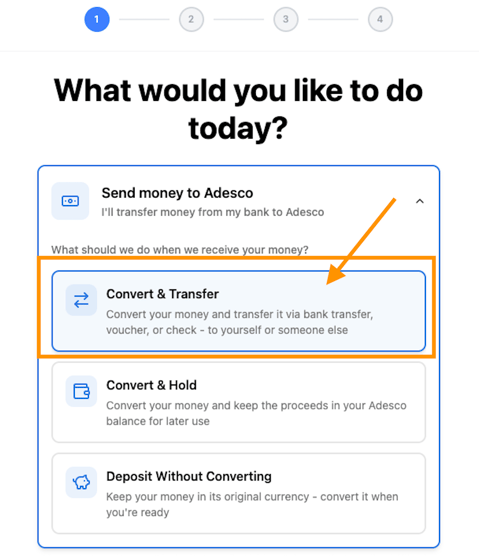
Select send money to Adesco.
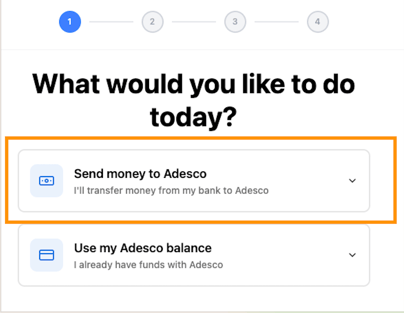
- Select Convert & Transfer.
Step 2: Enter Amount and Currency
-
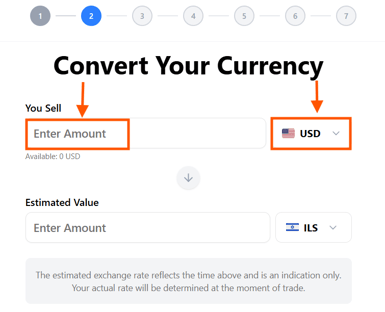
Under You Sell, enter the amount you want to convert.
-
Select the currency from the dropdown list.
-
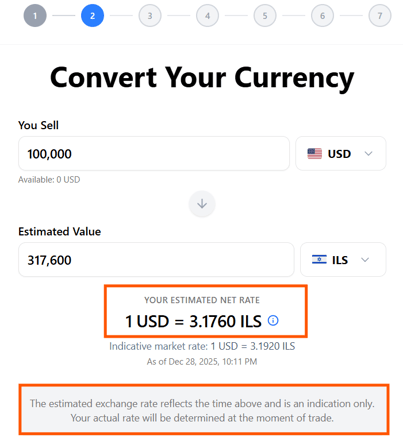
Review the Estimated Value displayed in the target currency.
- Note: This is not the final rate. The actual rate will be determined when the conversion is executed.
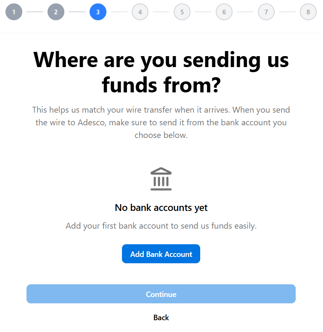
Step 3: Choose Bank Account
-
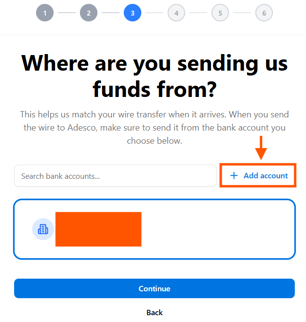
Select the bank account you want to send the funds from or add a new one.
-
If you haven’t added a bank account yet, click Add New Account and follow the instructions.
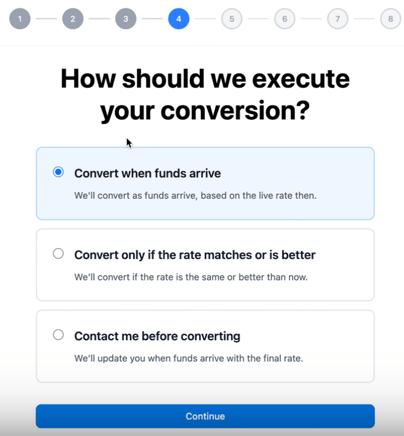
Step 4: Choose Conversion Execution
Select one of the following options:
- Convert when funds arrive – Automatically convert as soon as your funds reach Adesco.
- Convert only if the rate matches or improves – Conversion happens only if the exchange rate is equal to or better than your initial quote.
- Contact me before converting – Adesco will confirm with you before executing the conversion
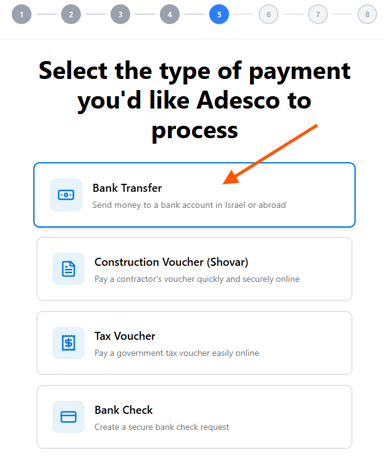
Step 5: Select Payment Type
- Choose Bank Transfer as your payment method.
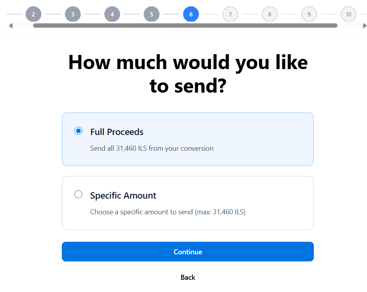
Step 6: Choose Amount to Send
- Decide how much of your converted funds you want to send:
- full proceeds from the conversion
- Specific amount
Step 7: Select Recipient
-
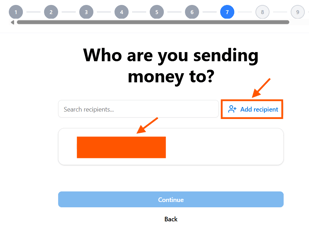
Choose an existing recipient or click Add New Recipient.
-
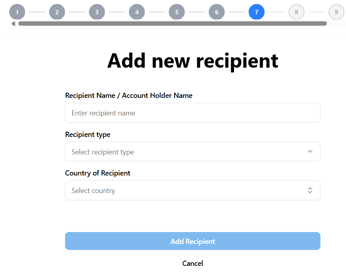
If adding a new recipient, enter their bank details accurately.
Step 8: Specify Payment Purpose
-
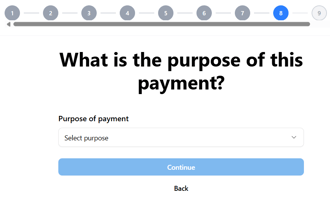
Select the purpose of the payment.
-
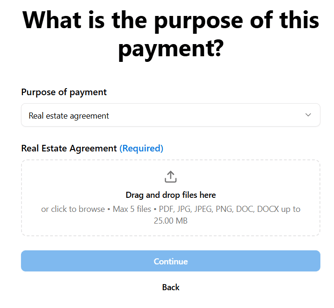
Important: If the payment is not to yourself, a family member, or an affiliate company, you must upload a document showing the purpose of the payment.
Step 9: Review and Confirm
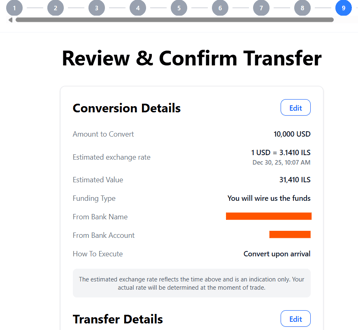
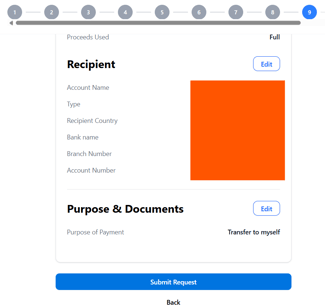
- Double-check all details: amount, currency, recipient, and purpose.
- Click Confirm to complete the transfer.