
- Log in to your Adesco account at app.adesco.co.il using your username and password.
- If you have missing documents you will see a yellow banner at the top of your screen. Click the text in the banner and it will take you to view exactly which document(s) are missing from your account. Or, just click "Documents" in the left navigation bar.

- Locate the blue banner on the documents page, which specifies the document type required. Click the Upload button on the right-hand side to select and submit your file.

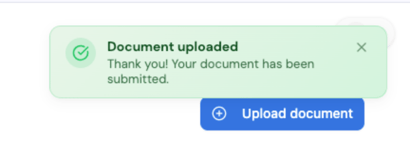
- Once the file is uploaded, a green banner will appear to confirm that your document was successfully uploaded and the blue "Missing Documents" section will be removed.
- That's it, all documents are updated.