
Step 1: Create Your Account
- Go to the Adesco sign-up page.
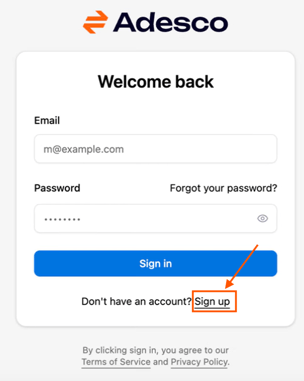
- Click the “Sign Up” link.
- Enter your email and choose the password you want to have
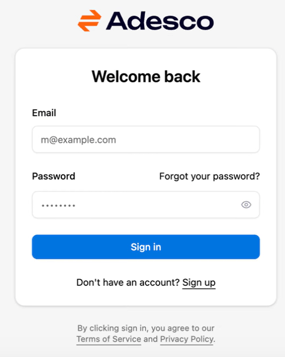
- Click the “Create Account” button.
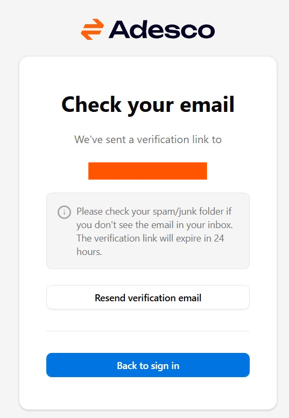
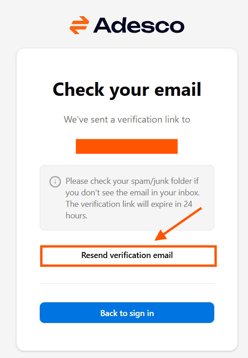
- Once you click the button you will get to the screen below asking you to check your email for the verification email.
- Go to your email and look for the email from Adesco.
- It will be sent from auth@app.adesco.co.il
- The subject line is: “Confirm your email address”
- Remember: the link works for 24 hours
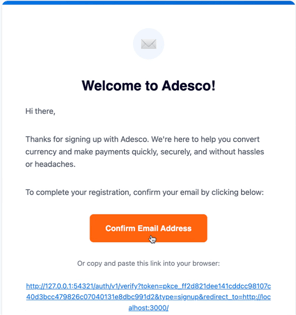
- The email looks as below
-
If you don’t see an email within a minute please:
- Check your spam or junk folder
- Check that your email is correct
- If non of the above works, please click “Resend verification email”.
-
In the email click the orange “Confirm Email Address”
- This confirms your account and will allow you to sign in.
- Clicking the button will open the log in page in a new tab.
- After you click the “Confirm Email Address” button in the email, you can also click on “Back to sign in”.
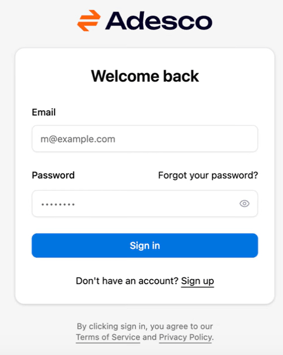
- You will be redirected to log in page.
- Please add the email and password you created and click “Sign in”.
-
If you ever forgot your email you can always create a new password
-
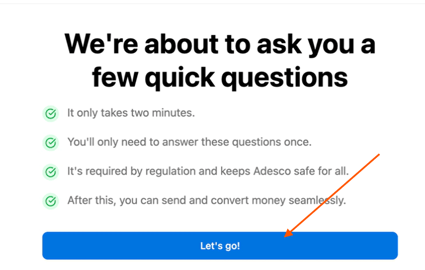
Once you logged in you will be redirected to the onboarding flow. Click “Let’s go” to get started.
-
Onboarding takes about 3–5 minutes. Your progress saves automatically
- Select the type of account you want to set up and continue the step from the following guides.
-
The two types of accounts are: